One sketch. Many directions. One replayable decision.
AIsketcher is a model-independent Python toolkit for seed scouting, controlled variation, and reproducible visual studies.
Try it now 한국어 빠른 시작 Choose a model
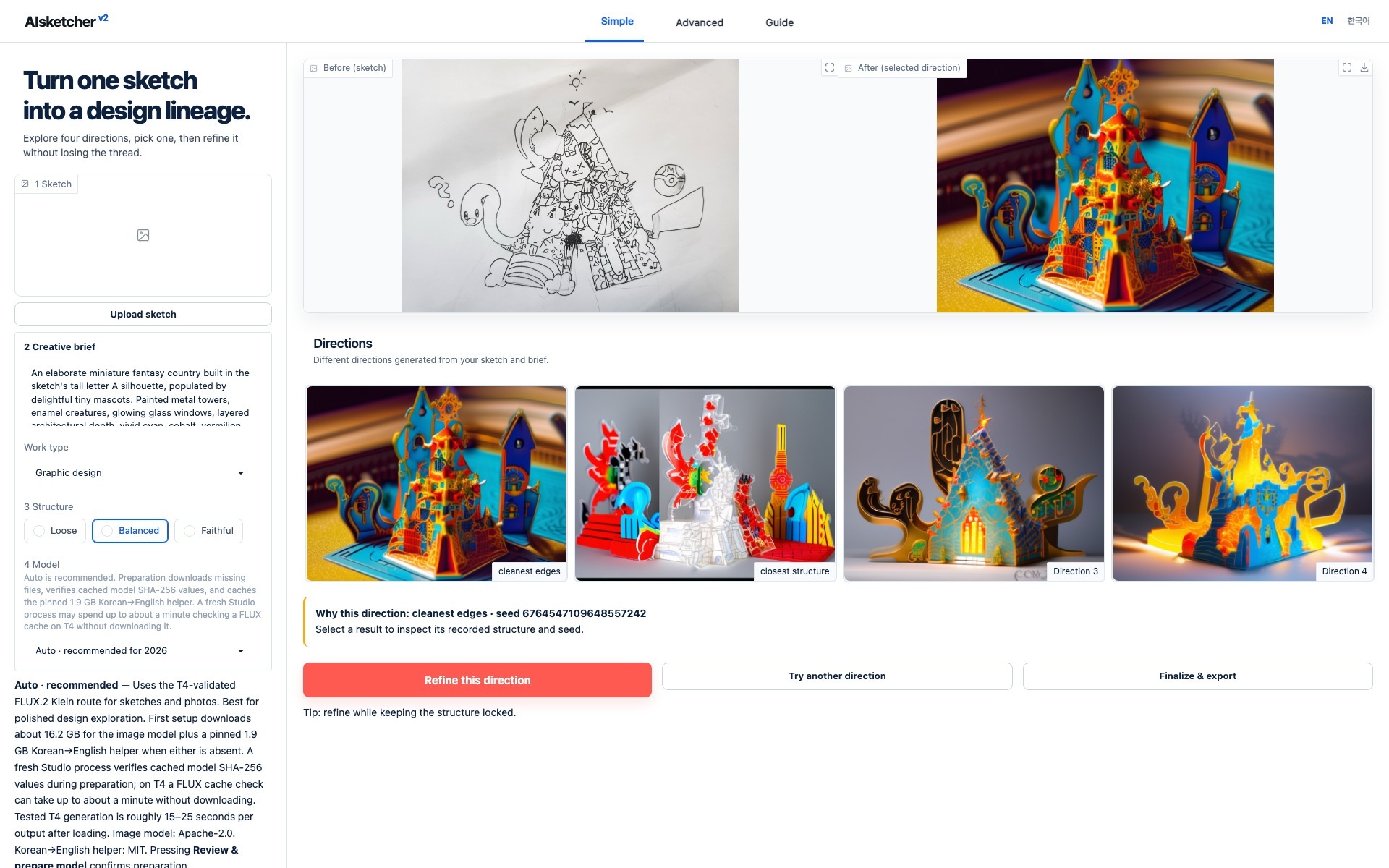
Actual local Studio with a bundled, hash-verified study. The source, four outputs, selected seed, recipe, and manifest are included in the package. No model is downloaded for this view.
See the value before downloading a model
The command opens a bilingual interactive tour on 127.0.0.1 using only the
base package and Python standard library. It loads no Torch, Gradio, Diffusers,
or model weights and sends no telemetry.
Built for decisions, not isolated images
| Stage | Design question | Recorded evidence |
|---|---|---|
| Prepare | Is this input usable as structure? | normalized source, control, diagnostics |
| Explore | Which directions are worth seeing? | intent, resolved recipe, candidate seeds |
| Pick | Which candidate becomes the parent? | selection and technical observations |
| Vary | What may change and what stays locked? | parent ID, strength, constraints |
| Export | Can another person inspect the work? | images, contact sheet, manifest, hashes |
| Replay | Can the run be reconstructed honestly? | model revision, runtime, drift report |
Model roles are explicit
Fast Edit uses FLUX.2 Klein for photo restyling, flexible sketch interpretation, and instruction edits. It uses a reference image rather than Canny, so it does not promise exact line locking.
Structure Lock keeps the mature SDXL Canny path for strict structure and legacy replay. Z-Image Union and Qwen Image Edit remain named candidates until they pass the published multi-input, four-seed benchmark gate.
A backend can change without losing the study
The package separates a small generation Backend protocol from the study
around it. A local Diffusers model, hosted API, cloud endpoint, or in-house
pipeline can all return candidates while AIsketcher preserves the same seed,
lineage, manifest, and replay contract.
Artwork has a separate license
Code and documentation text are MIT licensed. Drawings and sample images are not. Read the project’s artwork notice before using a visual asset.
Release status
Version 0.4.0 is the current release source. Its versioned GitHub Release
publishes the same immutable README to
PyPI through Trusted Publishing.
Merges to main automatically
rebuild this documentation site after the strict docs checks pass. See the
changelog for details.