Channel Vault NAS
Back up YouTube channels to your NAS without throwing away the archive you
already have. Paste a channel URL, reuse existing media and archive.txt, and
let yt-dlp download only what is missing. The files stay durable even if the
searchable SQLite index must be rebuilt.
Install in 60 seconds Bring an existing archive View source on GitHub
The part other download queues leave out
-
Keep your current archive
Index media, thumbnails, subtitles, and
info.jsonsidecars already stored on the NAS. Nothing is renamed or deliberately downloaded again. -
See every skip decision
Downloaded, missing, queued, and skipped videos are visible in the UI instead of disappearing inside a command-line flag.
-
Recover from disk
Media is durable data. SQLite is a searchable index that can be backed up or rebuilt from mounted folders and sidecars.
-
Set it once
Choose the interval and videos per run, start automatic backup, and pause it from the same channel screen.
Your first backup is one screen
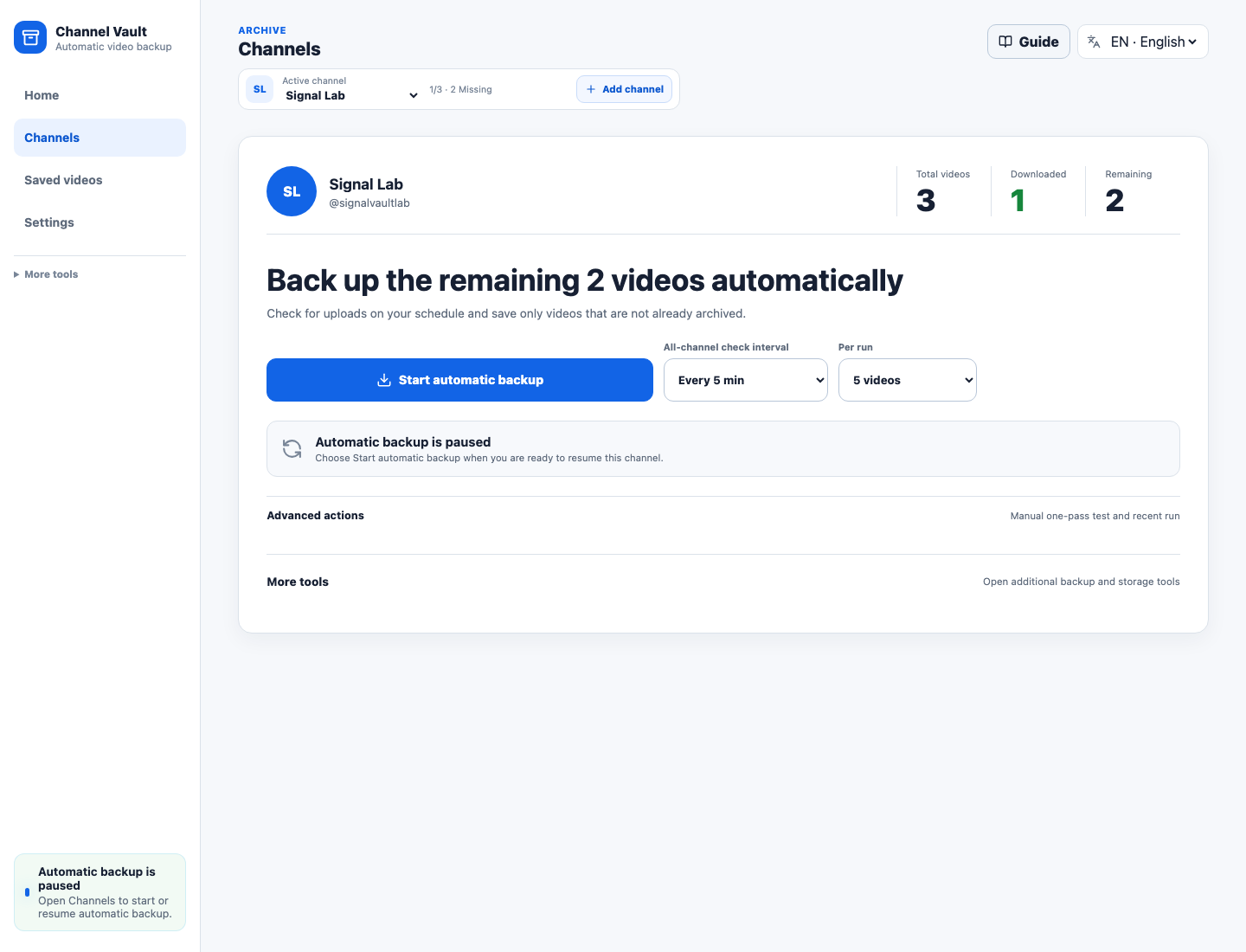
On Home, select Register channel, paste the source, select Check channel, then confirm with Register channel. The channel screen shows Total / Downloaded / Remaining once, beside the one primary action: Start automatic backup. Download interval, videos per run, next run, and pause all stay together.
Start the click-by-click guide
Why it exists
Most download tools answer one question: "Can this URL be downloaded?"
Channel Vault NAS answers the NAS operator question:
"What changed, what is already archived, what is safe to download next, and can I recover the archive if the app database disappears?"
The filesystem remains the durable archive. SQLite is the index over that archive. Rescan an existing NAS folder and it gets indexed without moving a single file.
A deliberate fit, not the only downloader
Choose TubeArchivist when an established media-server experience matters most, Pinchflat when you want a focused subscription downloader, and Channel Vault when an existing NAS archive, visible skip decisions, and disk-first recovery matter most.
Compare the workflows honestly
Self-hosted guardrail
This self-hosted release is built for localhost, private LAN, VPN, or a trusted reverse proxy. Do not expose it directly to the public internet. See Access token and the NAS install guide.
Registry & links
The API and web images run together, and the Compose install pulls both. There is no single all-in-one image.
- Docker Hub API image:
modenaf360/channel-vault-nas-api - Docker Hub web image:
modenaf360/channel-vault-nas-web - GHCR mirror:
ghcr.io/hyeonsangjeon/channel-vault-nas-apiand…-web - Source:
github.com/hyeonsangjeon/channel-vault-nas