Enable real downloads
Channel Vault NAS can check and register a channel without starting any media transfer. The app arms the worker when you click Start automatic backup.
Turn on the worker
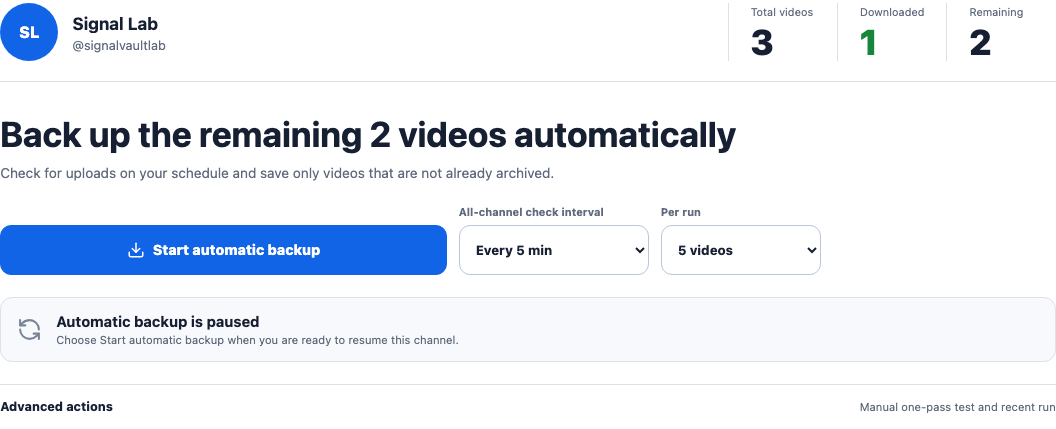
The simplest path is the UI: open a channel, choose All-channel check interval and Per run, then click Start automatic backup. It turns on real downloads, metadata sync, and the scheduler immediately (see Channel backup → Step 2). To arm the NAS globally instead, set these runtime env values:
The channel button and Settings tab hot-apply these worker/scheduler values;
no container restart is required. Recreate the API container when you edit
Compose .env values manually.
Add the values to .env and recreate the api service so Compose applies
the changed environment (host-mounted archive data is retained):
Do it from the UI
Open Settings → Technical settings → Runtime tools → Env guide. The Runtime env manifest drawer shows the active values and pending overrides. See the Settings tour.
Verify the downloader and recovery
The API build includes Deno and yt-dlp[default] with its matching EJS package.
Settings → Technical settings reports missing binaries and EJS. A successful
health check or channel preview alone does not verify a media download.
Images built with scripts/verify_download_recovery.py support an isolated check
with no mounts and no external network:
Use the exact image tag or digest being evaluated in place of YOUR_API_IMAGE.
This generates a one-second local clip, transfers it with the worker's real
yt-dlp command, probes it with ffprobe, and rebuilds its index in a second,
empty SQLite database. It also checks a SQLite snapshot and verifies archive
file hashes are unchanged. All data is temporary. This is not a YouTube test.
For a separate, opt-in YouTube check, use a video you own or are authorized to archive. It must be non-live, at most 30 seconds, and fit within the 50 MiB limit:
docker run --rm YOUR_API_IMAGE python scripts/verify_download_recovery.py \
  --youtube-video-id YOUR_VIDEO_ID --allow-network
Only a successful report with youtube_verified: true verifies that particular
source at that time. This does not guarantee other channels, regions, authenticated
sources, or future YouTube behavior. The existing 0.3.1 images predate this check.
The pass is always bounded
Worker passes are intentionally capped so an accidental click can't saturate your NAS or your network:
- Automatic backup claims only your Per run batch size each time it runs, never the whole channel at once.
- The advanced Manual one-pass test runs up to that same batch size once, behind a confirmation modal.
- Both asynchronous
worker/startand legacyrun-oncelimits are capped. - Per-channel policy can pause worker claims.
- New uploads may still be discovered and added to the waiting list while a channel is paused; they are not downloaded until you resume it.
Interrupted downloads
Run one API process/replica per metadata database. On shutdown the worker stops
its downloader process group. On restart, stale running jobs and run audits are
marked failed instead of staying stuck. Open Queue, review the failure, and retry
explicitly; partial files are retained and yt-dlp attempts to resume them.
Closing the browser alone does not cancel a manual pass accepted by the API.
Verify before you expose
Enabling downloads does not expose your NAS. Keep the raw API loopback-bound, set an access token, and publish only the web tier through a trusted reverse proxy or VPN.